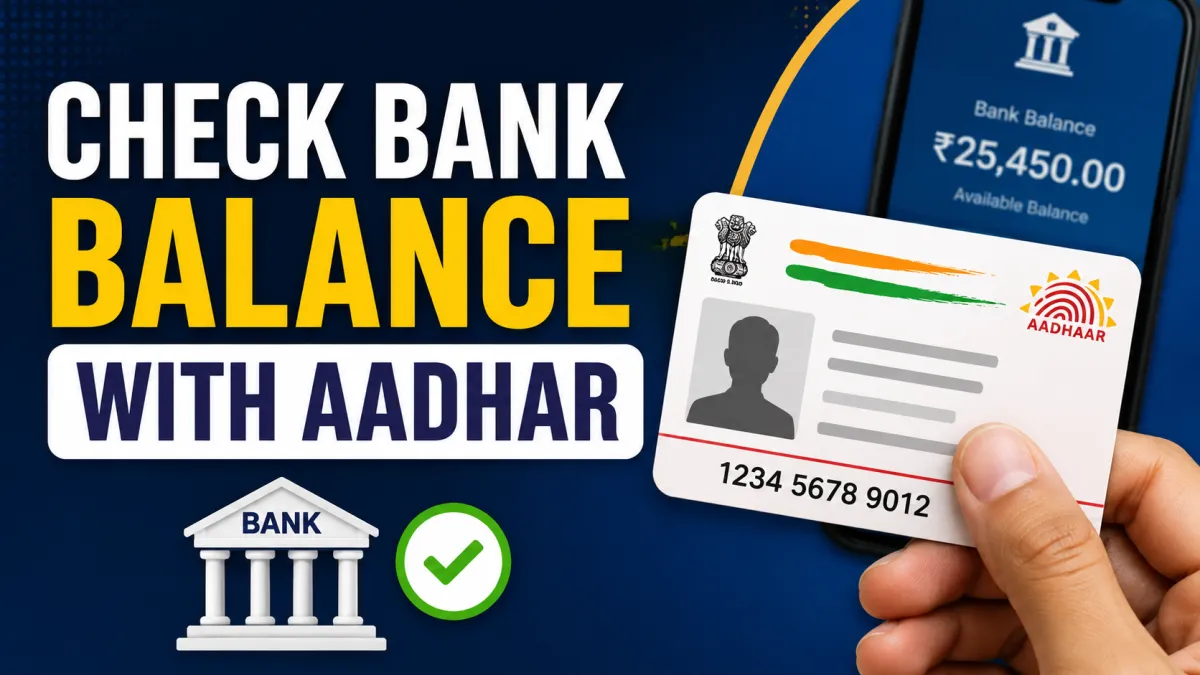
Checking your bank account balance has become much easier with digital banking services in India. Earlier, people often had to visit a bank branch or ATM to know how much money was available in their account. Today, several banking services allow customers to access basic account information more conveniently.
One method that many people want to know about is checking a bank balance using an Aadhaar card. If your Aadhaar number is linked to your bank account, you may be able to check your balance through the Aadhaar Enabled Payment System (AEPS) at an authorized banking service point.
However, it is important to understand one thing clearly: simply entering an Aadhaar number on any random website or app will not show your bank balance. Aadhaar-based banking services require proper authentication and are available only through authorized channels.
In this guide, we will explain how to check your bank balance using an Aadhaar card, what you need, and the important safety precautions you should follow.
Also read: आधार कार्ड में पिता की जगह पति का नाम कैसे अपडेट करें?
Can You Check Your Bank Balance Using an Aadhaar Card?
Yes, in many cases, you can check your bank account balance using Aadhaar-based banking services.
This is generally done through the Aadhaar Enabled Payment System, commonly known as AEPS. The service allows eligible customers to access certain banking services using Aadhaar authentication.
For example, you may visit an authorized banking correspondent, Customer Service Point (CSP), or another approved AEPS service provider.
Depending on the service and bank support, you may be able to access services such as:
- Balance enquiry
- Cash withdrawal
- Mini statement
- Aadhaar-based transactions
- Other basic banking services
Usually, biometric authentication, such as fingerprint verification, may be required to complete the request.
What Is AEPS?
AEPS stands for Aadhaar Enabled Payment System.
It is a banking service designed to support certain financial transactions through Aadhaar-based authentication. Instead of relying only on an ATM card or traditional banking methods, eligible customers can use Aadhaar authentication to access supported banking services.
The exact services available may depend on factors such as:
- Your bank
- Whether Aadhaar is linked to your bank account
- The AEPS service provider
- Authentication requirements
- Network availability
Therefore, the experience may not be exactly the same for every bank customer.
Requirements to Check Bank Balance Using Aadhaar
Before trying to check your bank balance through an Aadhaar-based service, make sure the necessary requirements are met.
1. Aadhaar Should Be Linked to Your Bank Account
Your Aadhaar details generally need to be linked or mapped appropriately with the bank account for Aadhaar-based banking services.
If you are unsure whether your Aadhaar is linked to your bank account, you can contact your bank or visit an authorized branch or service point for guidance.
2. Aadhaar Number or Aadhaar Details
You may need to provide your Aadhaar number or other required Aadhaar-related information during the transaction.
For your safety, avoid sharing Aadhaar details unnecessarily with unknown individuals.
3. Access to an Authorized AEPS Service Point
You will usually need to visit an authorized service provider, such as:
- A Bank Mitra
- A Banking Correspondent
- A Customer Service Point (CSP)
- Another authorized AEPS-enabled service provider
4. Biometric Authentication
For many Aadhaar-based transactions, biometric verification may be required.
This can include fingerprint authentication through an approved biometric device.
How to Check Bank Balance Using Aadhaar Card
The process is generally simple. Here is how it usually works.
Step 1: Visit an Authorized AEPS Service Provider
First, visit an authorized banking correspondent, Bank Mitra, CSP, or another legitimate provider offering AEPS services.
Before sharing any personal information, make sure the service provider is genuine and authorized.
Step 2: Ask for the Balance Enquiry Service
Tell the service provider that you want to check your bank account balance using the Aadhaar-enabled service.
They will select the appropriate option on their banking system or device.
Step 3: Provide the Required Bank Information
You may need to select or provide the name of your bank.
Make sure you choose the correct bank associated with the account you want to access.
Step 4: Enter Aadhaar Details
The service provider may ask for the Aadhaar number required for the transaction.
Always verify where and why your information is being entered.
Do not allow unknown people to take unnecessary copies or photographs of your Aadhaar card.
Step 5: Complete Biometric Authentication
You may be asked to verify your identity using your fingerprint.
Place your finger on the biometric scanner as instructed.
The system will attempt to authenticate the transaction.
Step 6: Receive Your Balance Information
If the authentication and transaction are successful, the available balance information may be displayed on the device or provided through a receipt.
The exact format may vary depending on the bank and service provider.
Can You Check Bank Balance Online Using Only an Aadhaar Number?
Generally, you should be careful with any website or application that claims it can show your complete bank balance simply by entering your Aadhaar number.
Your bank balance is sensitive financial information. Legitimate banking services normally require secure authentication.
You should avoid websites that:
- Ask for unnecessary personal details
- Ask for your banking PIN
- Ask for your OTP
- Request your ATM PIN
- Promise instant bank balance access without proper verification
- Ask you to install unknown applications
Never share your OTP, ATM PIN, UPI PIN, CVV, or internet banking password with anyone.
Is an Aadhaar Card Alone Enough to Check Bank Balance?
Not always.
Having an Aadhaar card does not automatically mean you can access every bank account through Aadhaar.
The account and Aadhaar details generally need to be properly linked or enabled for the relevant service. Authentication may also be required.
In many cases, the process depends on:
- Bank account status
- Aadhaar linkage
- NPCI mapping or banking arrangements where applicable
- Availability of AEPS services
- Successful authentication
If the transaction does not work, it does not necessarily mean there is a problem with your bank balance. It could be related to authentication, connectivity, account linkage, or service availability.
Other Easy Ways to Check Your Bank Account Balance
If Aadhaar-based balance enquiry is not convenient for you, there are several other methods available.
Check Balance Through a Mobile Banking App
Many banks provide official mobile banking applications.
After registering and logging in securely, you can usually check your account balance, recent transactions, and other banking information.
Always download banking apps from official sources.
Use Internet Banking
If you have internet banking enabled, you can log in to your bank’s official website and check your account balance.
Make sure you are visiting the genuine website of your bank.
Check Through UPI Apps
Some UPI applications allow users to check the balance of their linked bank account.
Usually, you need to verify the request using your UPI PIN.
Never share your UPI PIN with another person.
Use an ATM
You can also visit your bank’s ATM or another supported ATM and use the balance enquiry option.
You will generally need your ATM or debit card and PIN.
Missed Call Banking
Some banks offer balance enquiry through a registered mobile number.
The process varies by bank. You may need to give a missed call to the official number provided by your bank.
Always confirm the correct number through your bank’s official communication channels.
Benefits of Checking Bank Balance Through Aadhaar-Based Services
Aadhaar-enabled banking services can be useful in certain situations.
Convenient for People Without Smartphones
Not everyone uses mobile banking or internet banking. Aadhaar-based services may provide an alternative way to access basic banking facilities.
Useful in Areas With Limited Banking Access
Banking correspondents and service points can help extend basic banking services to locations where a full bank branch may not be nearby.
No Need to Carry a Debit Card in Some Cases
Depending on the supported service, customers may not always need to carry a debit card for an Aadhaar-enabled transaction.
However, proper authentication is still important.
Important Safety Tips for Aadhaar-Based Banking
Your Aadhaar and banking information should always be handled carefully.
Here are some useful safety tips.
Never Share Your OTP
A bank employee or legitimate service provider should not ask you to reveal your OTP for an unauthorized purpose.
Keep your OTP private.
Do Not Share Your PINs
Never share:
- ATM PIN
- UPI PIN
- Internet banking password
- Card CVV
These details can be misused to access or authorize financial transactions.
Use Only Trusted Service Providers
Try to use authorized Bank Mitras, CSPs, bank branches, or trusted AEPS service providers.
If something seems suspicious, stop the transaction.
Check the Transaction Receipt
If a receipt is generated, check the basic transaction details.
Do not leave sensitive printed information in public places.
Keep Your Mobile Number Updated
Make sure your registered mobile number with the bank is current whenever possible. This can help you receive transaction alerts and important banking notifications.
What Should You Do If Aadhaar Balance Enquiry Does Not Work?
Sometimes, an Aadhaar-based balance enquiry may fail.
Possible reasons can include:
- Aadhaar is not linked correctly
- Biometric authentication fails
- Network problems
- Temporary technical issues
- The selected bank is incorrect
- The service is temporarily unavailable
If this happens, do not repeatedly share your information with multiple unknown service providers.
Instead, you can try another secure method, such as:
- Your bank’s official mobile app
- Internet banking
- An ATM
- Missed call banking
- Visiting your bank branch
If you continue to face problems, contact your bank directly.
Final Words
Checking your bank balance using an Aadhaar card can be convenient when Aadhaar-based banking services are properly available and your bank account is eligible for the service.
In many cases, you can visit an authorized AEPS service point, provide the required details, complete biometric authentication, and request a balance enquiry.
However, remember that your Aadhaar number alone should not be treated as a password for accessing your financial information. Always use trusted and authorized banking channels and protect sensitive information such as OTPs and PINs.
If Aadhaar-based balance checking is unavailable or unsuccessful, mobile banking, internet banking, UPI apps, ATMs, and missed call services may offer convenient alternatives.
By choosing secure banking methods and staying alert to scams, you can check your bank balance safely and confidently.
Frequently Asked Questions
1. Can I check my bank balance using my Aadhaar card?
You may be able to check your bank balance through an authorized Aadhaar-enabled banking service if your account is eligible and the required authentication is completed.
2. Is Aadhaar required to check my bank account balance?
No. Aadhaar is not the only method for checking a bank balance. You can also use mobile banking, internet banking, UPI apps, ATMs, or other services offered by your bank.
3. Can I check my bank balance by entering my Aadhaar number on a website?
You should avoid websites that claim to show your bank balance simply by asking for your Aadhaar number. Use only authorized and secure banking channels.
4. Why is my Aadhaar-based balance enquiry failing?
The issue could be caused by Aadhaar linkage problems, biometric authentication failure, network issues, technical problems, or temporary service unavailability.
5. Do I need a fingerprint to check my bank balance through AEPS?
Biometric authentication, including fingerprint verification, is commonly required for Aadhaar-enabled banking transactions. The exact process may depend on the service provider and bank.
6. Can I check my bank balance without a debit card?
Yes, depending on the services available from your bank, you may be able to check your balance through mobile banking, UPI, missed call banking, internet banking, or Aadhaar-enabled services.
7. Is it safe to use Aadhaar for bank balance enquiry?
It can be safe when you use authorized banking channels and follow proper security practices. Never share your OTP, ATM PIN, UPI PIN, or banking passwords with anyone.

I am a passionate Tech Writer with strong industry experience. I enjoy exploring the latest technological innovations and sharing clear, helpful insights with my audience.