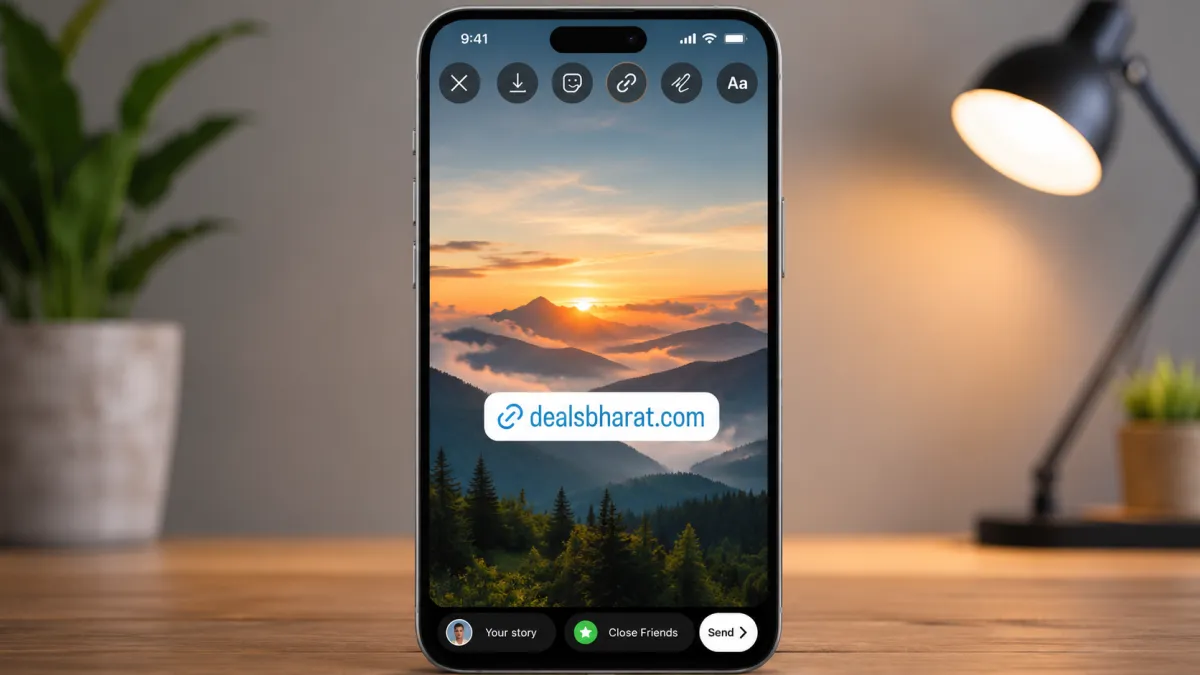
Instagram Stories have become one of the most effective ways to share content, promote websites, and connect with followers. Whether you’re running a business, managing a personal brand, or simply sharing useful resources, the Link Sticker makes it easy to direct viewers to a specific webpage with just one tap.
This guide explains how to add a link to your Instagram Story, along with useful tips to help more people interact with your content.
Also read: Gesture Lock Screen: A Unique Way to Secure Your Android Phone
What Is the Instagram Link Sticker?
The Instagram Link Sticker is a built-in feature that lets users attach a clickable website link to a Story. Instead of asking followers to visit your profile and search for a link in your bio, they can open the destination page directly from the Story.
The feature is available to most Instagram users and supports a wide variety of websites.
Why Add Links to Your Stories?
Sharing links through Stories makes it easier for your audience to access the information you want to promote.
Many users add Story links to:
- Blog articles
- Product pages
- Online stores
- Business websites
- Event registration pages
- Portfolio websites
- Educational resources
- Newsletter sign-up pages
Providing direct access improves the overall experience for your followers.
How to Add a Link to an Instagram Story
Adding a clickable link only takes a few moments.
Step 1: Open Instagram
Launch the Instagram app and sign in to your account if needed.
Step 2: Create a Story
Tap Your Story or swipe right from the home screen.
You can:
- Capture a new photo
- Record a video
- Upload media from your gallery
Step 3: Open the Sticker Menu
Tap the Sticker icon at the top of the Story editor.
Step 4: Select the Link Sticker
Choose the Link sticker from the available sticker options.
Step 5: Paste Your Website URL
Enter or paste the webpage address you want your audience to visit.
Double-check the URL before continuing to avoid broken links.
Step 6: Customize the Sticker Text
Instagram allows you to change the text displayed on the sticker.
Instead of showing the full website address, you can use a short call-to-action that encourages viewers to tap.
Step 7: Position the Sticker
Move the sticker to a location where it is clearly visible without covering important parts of your photo or video.
Step 8: Publish Your Story
Once everything looks good, share your Story.
Followers can simply tap the sticker to open the linked webpage.
Best Practices Before Posting
Preparing your Story in advance can help create a smoother experience.
Consider these tips:
- Copy the website link before creating your Story.
- Use high-quality photos or videos.
- Keep important text away from the sticker area.
- Preview the Story before publishing.
- Test the link after posting to confirm it works correctly.
A quick review helps avoid mistakes and improves the viewer experience.
Write an Effective Call-to-Action
The text displayed on your Link Sticker can influence how many people tap it.
Some simple examples include:
- Learn More
- Read the Article
- Visit Our Website
- Shop Now
- Register Today
- Explore More
- Get Details
Short and action-focused text is usually easier for viewers to understand.
Creative Ways to Use Instagram Story Links
The Link Sticker can be useful for many different purposes.
For example:
Business Owners
Share product pages, special offers, or service information.
Bloggers
Direct readers to your newest articles or tutorials.
Online Stores
Promote featured products, seasonal collections, or limited-time discounts.
Content Creators
Share YouTube videos, newsletters, or other social media content.
Event Organizers
Provide quick access to registration forms, schedules, or ticket pages.
Using links strategically helps guide your audience to the most relevant content.
Tips to Increase Story Link Clicks
Simply adding a link doesn’t always guarantee engagement.
You can make your Story more interactive by:
- Using arrows or animated stickers to highlight the Link Sticker
- Writing a short explanation about why viewers should tap
- Keeping the design clean and uncluttered
- Choosing colors that make the sticker stand out
- Placing the sticker where it’s easy to notice
Testing different Story designs over time can help you understand what works best for your audience.
Common Issues and Solutions
If the Link Sticker isn’t working as expected, consider the following:
- Update Instagram to the latest version.
- Check that the website URL is entered correctly.
- Ensure your internet connection is stable.
- Restart the app if the sticker doesn’t appear.
- Review Instagram’s latest feature availability in your region.
Keeping the app updated can help ensure access to the newest Story features.
Also read: How to Use Android Auto Split Screen?
Final Thoughts
The Instagram Link Sticker provides a simple way to send followers directly to websites, blog posts, online stores, and other important pages without asking them to search through your profile. By combining a clear call-to-action, attractive visuals, and thoughtful sticker placement, you can create Stories that are informative, engaging, and easy for viewers to interact with.
Whether you’re promoting content, growing a business, or sharing helpful resources, using Story links effectively can make your Instagram posts more useful and accessible.

I am a passionate Tech Writer with strong industry experience. I enjoy exploring the latest technological innovations and sharing clear, helpful insights with my audience.