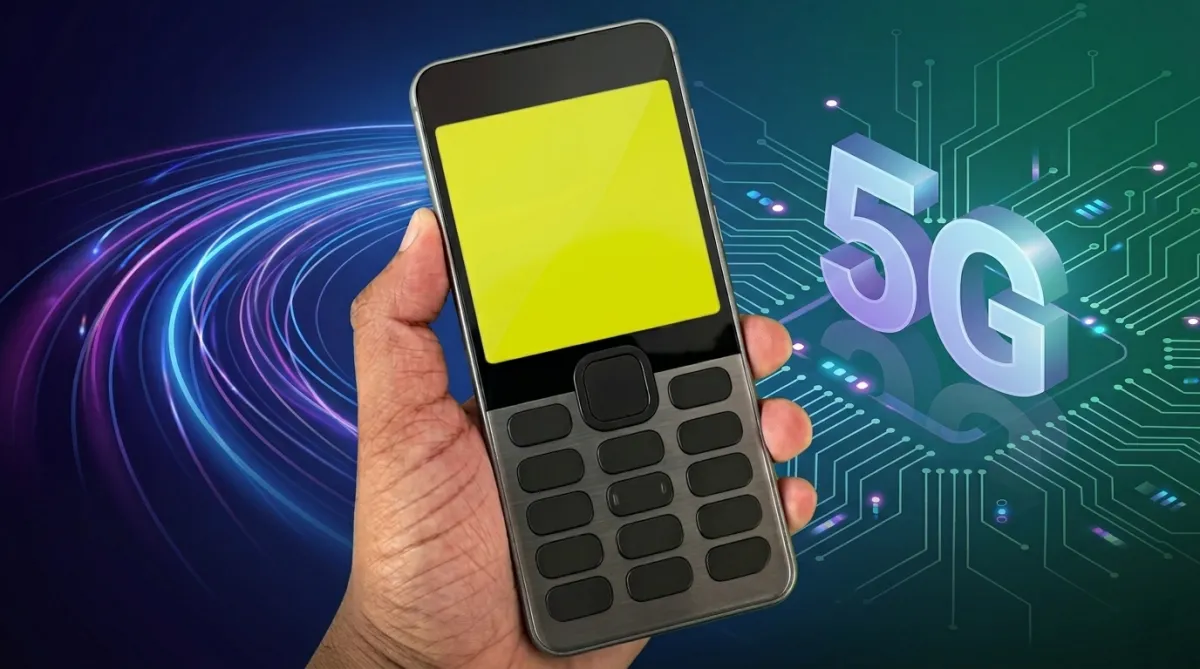
Smartphones today offer powerful cameras, advanced apps, and countless features, but many users still miss the simple experience of older mobile phones. Before touchscreen devices became common, classic keypad phones like the Nokia 1280 were known for their straightforward design, easy navigation, and distraction-free usage.
That old-school mobile experience is now making a comeback through retro launcher apps available for Android devices. These apps are designed to recreate the visual style of classic Nokia phones while still running on modern smartphones.
What Is a Nokia-Style Retro Launcher?
A Nokia-style launcher is a customization app for Android that changes the appearance of the phone’s interface to resemble older Nokia keypad devices.
After installing the launcher, the home screen and menus are transformed into a retro-style layout inspired by classic mobile phones. Users may notice features such as:
- Vintage keypad-inspired designs
- Simple menu layouts
- Old-style icons and themes
- Minimal navigation screens
- Retro interface elements
The goal is not to replace Android completely, but to provide a nostalgic visual experience that reminds users of older mobile technology.
Also read: Top Android App for Custom Charging Animations and Stylish Battery Themes
Why Classic Nokia Phones Are Still Remembered Fondly
Devices like the Nokia 1280 became extremely popular because they focused on simplicity and reliability. Unlike today’s smartphones filled with notifications and apps, older phones were designed mainly for calling, texting, and basic everyday use.
People still appreciate those phones because of features such as:
- Easy-to-use interface
- Clear navigation system
- Lightweight design
- Large keypad buttons
- Minimal distractions
For many users, these devices also bring back memories of a time when mobile phones felt less complicated and more practical.
Retro Design Is the Main Attraction
One of the biggest reasons people install Nokia-inspired launchers is the visual nostalgia.
Most retro launcher apps try to recreate the classic feel through:
- Old-style menu screens
- Small monochrome-inspired layouts
- Keypad-style navigation graphics
- Minimal home screen elements
- Vintage ringtone collections
Some launchers even include sound effects and animations inspired by classic Nokia phones, helping the overall experience feel more authentic.
Modern Customization With an Old-School Look
Although these launchers are inspired by older phones, many still offer useful customization options for Android users.
Depending on the app, users may be able to:
- Change theme colors
- Customize icon packs
- Modify dial pad appearance
- Select different retro styles
- Personalize screen layouts
This combination allows users to enjoy a classic interface without losing all modern Android flexibility.
Retro Gaming and Classic Mobile Memories
Many people associate old Nokia phones with simple games like Snake, which became one of the most recognizable mobile games of its time.
To enhance the nostalgic experience, some launcher apps include:
- Snake-inspired visuals
- Classic ringtone packs
- Vintage keypad sound effects
- Retro game-style themes
These additions are mainly designed to recreate the atmosphere of older mobile devices rather than provide advanced gaming features.
Lightweight and Cleaner User Experience
Modern Android launchers can sometimes feel overloaded with widgets, animations, and background processes. Retro launchers usually take the opposite approach by focusing on a cleaner and simpler layout.
This often results in benefits such as:
- Smoother performance on low-end phones
- Less visual clutter
- Easier navigation
- Minimalistic home screen setup
Because of their lightweight nature, many retro launchers can work well even on older Android devices.
Simple Installation Process
Installing a Nokia-style launcher is usually straightforward and does not require technical knowledge.
Most apps can be set up by following these steps:
- Download the launcher from the Google Play Store
- Open the app after installation
- Allow necessary permissions
- Set the launcher as the default home screen
- Apply the selected retro theme
Once enabled, the phone interface changes into a classic Nokia-inspired design.
Switching Back to the Normal Android Interface
Users who want to return to the standard Android layout can easily remove or disable the launcher.
This can usually be done through:
- Launcher settings
- Android home screen settings
- Default apps section
After switching back to the default launcher, the phone returns to its original appearance.
Why Retro Launcher Apps Are Becoming Popular Again
There are several reasons why retro mobile themes are attracting attention again.
Many smartphone users feel overwhelmed by:
- Constant app notifications
- Complex interfaces
- Heavy visual designs
- Too many unnecessary features
Retro launchers provide a simpler and more nostalgic experience that feels different from modern smartphone environments.
For some users, these apps also create a sense of connection to earlier mobile technology and personal memories associated with their first phones.
Important Things Users Should Know
While retro launchers can visually imitate classic Nokia devices, they do not completely transform a smartphone into a traditional keypad phone.
These apps mainly focus on appearance and theme customization. They generally do not:
- Add physical keypad controls
- Greatly improve battery life
- Fully recreate old hardware functionality
The experience is mostly aesthetic and entertainment-focused rather than a full functional replacement for classic mobile devices.
Download Safely From Trusted Sources
Users interested in trying Nokia-style launchers should always install apps from reliable platforms such as the Google Play Store.
Before downloading any launcher, it is a good idea to:
- Read user reviews carefully
- Check app ratings
- Verify requested permissions
- Avoid unofficial APK downloads from unknown websites
Using trusted app sources helps reduce security and privacy risks.
You can check this app
Nokia 1280 Launcher
Final Thoughts
Retro Nokia launcher apps offer a fun way to bring back the visual style of classic mobile phones on modern Android devices. Their simple layouts, vintage themes, and nostalgic interface designs appeal to users who miss the clean and distraction-free experience of older phones.
At the same time, not every retro launcher delivers the same quality. Some apps overload the experience with advertisements or unnecessary features that take away from the original simplicity people are looking for.
The best Nokia-style launchers are usually the ones that remain lightweight, clean, and focused on recreating the charm of classic mobile phones without making the interface feel cluttered.
For users who enjoy retro technology and nostalgic designs, these launcher apps can provide an enjoyable break from today’s heavily customized smartphone interfaces.

I am a passionate Tech Writer with strong industry experience. I enjoy exploring the latest technological innovations and sharing clear, helpful insights with my audience.
Advertisements