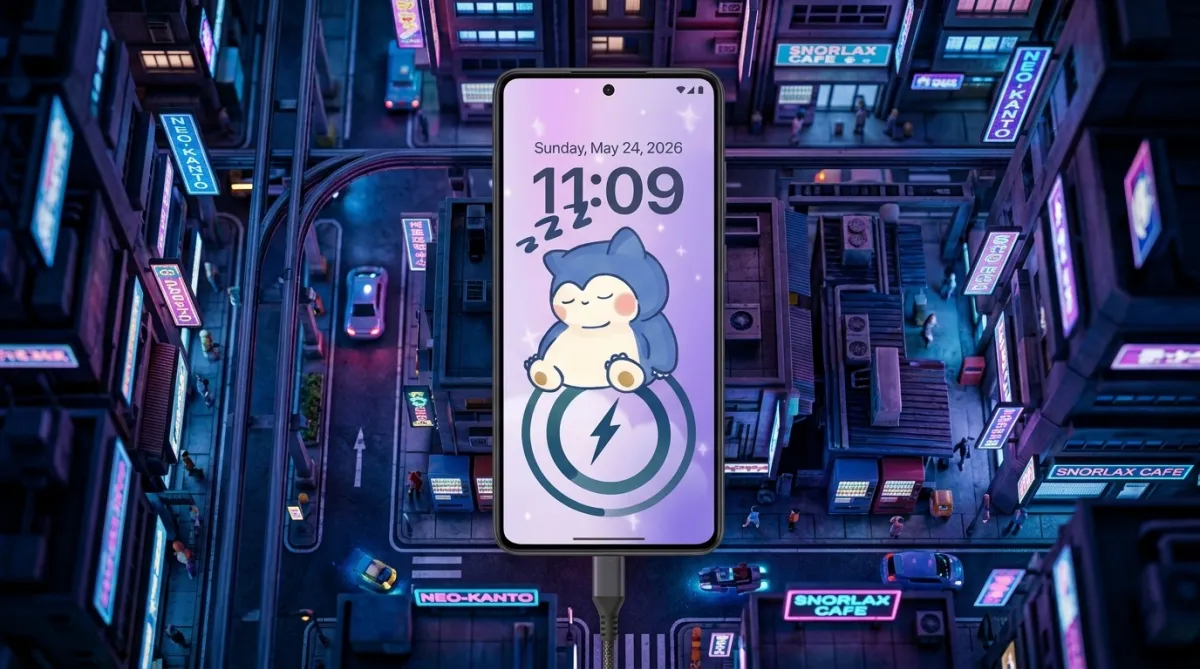
Smartphone users are paying more attention to personalization than ever before. Android, in particular, gives people the freedom to customize almost every part of their device, including wallpapers, icons, widgets, lock screens, and even charging displays.
While many Android phones offer useful features, their default charging screens often look plain and repetitive. To make the experience more visually appealing, many users now prefer apps that can add animated charging effects and creative battery themes.
One such app gaining popularity among customization enthusiasts is DIY Battery: 3D Charge & Emoji. The app focuses on animated charging screens, battery styling, and DIY visual customization for Android devices.
Overview of DIY Battery: 3D Charge & Emoji
DIY Battery: 3D Charge & Emoji is a personalization app developed for Android users who want to redesign the appearance of their charging screen and battery visuals.
The app allows users to customize several elements, including:
- Charging animations
- Battery styles
- Animated charging effects
- Emoji-themed visuals
- Video-based charging screens
- 3D battery themes
Instead of the standard battery symbol that appears while charging, users can display colorful and animated effects that make the phone feel more modern and interactive.
Also read: Best Charging Animation Apps for Android With Stylish 3D Battery Effects
Animated Charging Effects for a Better Visual Experience
The main feature of the app is its ability to transform the charging screen using dynamic animations and visual effects.
Users can choose from different styles such as:
- Neon charging animations
- RGB-inspired battery effects
- Animated GIF charging screens
- Emoji-based charging visuals
- 3D motion effects
As soon as the charger is connected, the selected animation automatically appears on the screen, creating a more engaging charging experience.
Personalized Battery Themes and Designs
The app also offers multiple battery design options that help users give their devices a unique appearance.
Customization features may include:
- Stylish battery indicators
- Animated percentage displays
- Neon battery icons
- RGB battery themes
- Creative charging visuals
These design elements can help Android devices stand out compared to standard system battery styles.
DIY Features for Creative Users
One reason many users enjoy apps like DIY Battery is the flexibility they offer. The app includes DIY tools that allow users to create more personalized charging setups.
Users can:
- Add personal photos
- Use custom videos as charging screens
- Create unique animation combinations
- Design custom battery themes
This level of customization gives users more control over the appearance of their phone during charging.
Live Effects and Motion-Based Visuals
To make charging screens more attractive, the app includes various motion effects and animated visuals.
Some popular effects include:
- Glowing animations
- Moving particle effects
- Dynamic energy visuals
- 3D motion transitions
These effects are especially popular among users who enjoy modern Android themes and aesthetic setups.
Built-In Battery Information Features
Apart from customization, the app also includes a few basic battery-related utilities that help users monitor charging activity.
Some of these tools may display:
- Current battery percentage
- Charging status
- Battery temperature
- Charging speed information
These features are useful for quick monitoring, although the app is primarily focused on visual customization rather than advanced battery management.
Quick and Beginner-Friendly Setup
Most users prefer apps that are simple to configure, and DIY Battery is designed with an easy setup process.
The general installation process includes:
- Downloading the app
- Allowing required permissions
- Choosing a charging animation
- Selecting a battery theme
- Saving and applying the settings
After setup, the charging effects activate automatically whenever the device is plugged in.
Device Performance and Battery Usage
Because charging animation apps use live graphics and moving effects, they may consume more system resources compared to standard charging screens.
Performance can vary depending on factors such as:
- Device hardware
- Screen brightness
- Animation quality
- Background app activity
- App optimization
Using lightweight effects usually provides smoother performance, especially on older Android devices.
Why Many Android Users Prefer Charging Animation Apps
Charging customization apps continue to attract users because they add a creative touch to everyday smartphone usage.
These apps are commonly liked by:
- Android customization fans
- Mobile gamers
- Users who enjoy RGB themes
- Social media content creators
- People interested in aesthetic phone setups
Animated charging screens also look visually appealing in videos and social media content, which adds to their popularity.
Important Things to Understand
Although these apps improve visual appearance, users should keep realistic expectations about their functionality.
Charging animation apps do not:
- Increase charging speed
- Improve battery health
- Extend battery life
- Upgrade hardware performance
Their main purpose is entertainment and visual personalization rather than technical optimization.
Additionally, continuously using high-resolution animations may affect smoothness on low-end smartphones.
Download Availability
DIY Battery: 3D Charge & Emoji is available for Android users through the Google Play Store.
The app typically includes features such as:
- Animated charging screens
- DIY battery customization
- Emoji charging effects
- 3D battery themes
- Live charging visuals
Before installing any customization app, users should review permissions and recent app ratings for a better experience.
Optional App Download Link:
DIY Battery: 3D Charge & Emoji
Conclusion
DIY Battery: 3D Charge & Emoji provides Android users with a creative way to customize charging screens and battery visuals. Features like animated effects, personalized themes, and video-based charging animations can make the charging process look more stylish and interactive.
At the same time, maintaining a balanced setup is important. Excessive animations and heavy visual effects may impact performance on some devices.
For users who enjoy Android personalization, charging animation apps can still be a fun and visually appealing addition to their smartphone experience.

I am a passionate Tech Writer with strong industry experience. I enjoy exploring the latest technological innovations and sharing clear, helpful insights with my audience.