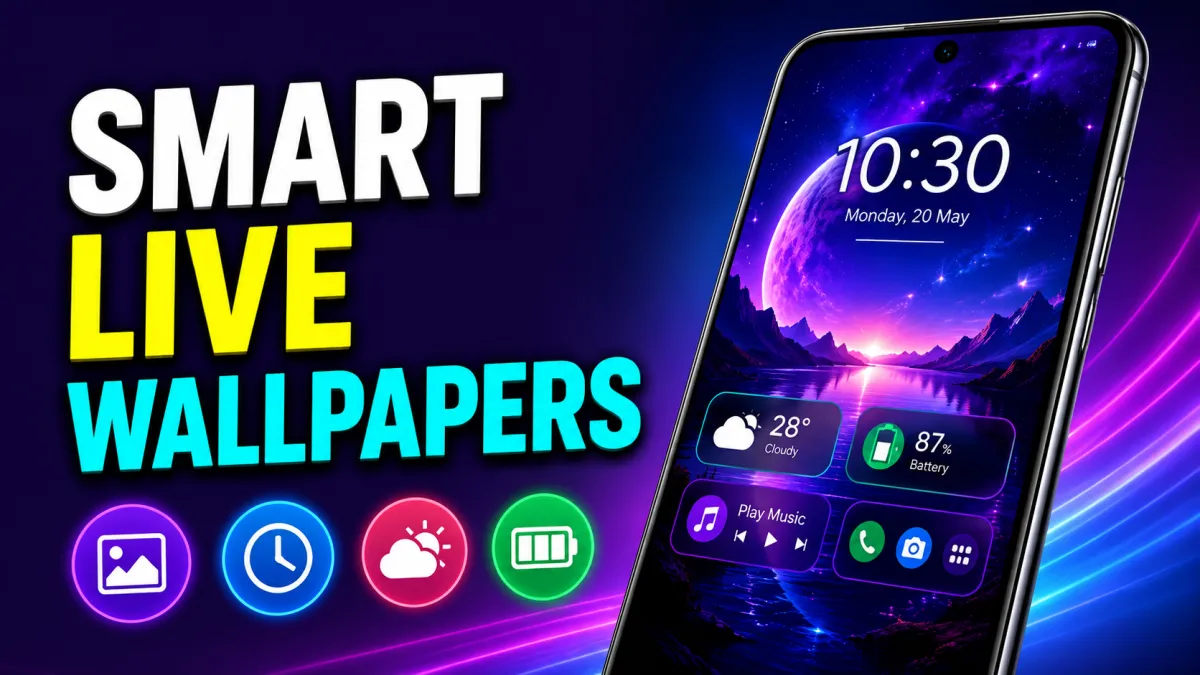
Your Android phone’s screen is something you see and use throughout the day. From checking notifications to browsing apps, the display plays an important role in your overall smartphone experience. Customizing it can make your device feel more personal and visually appealing.
Mico – 4K Live Wallpaper & Smart Lock Screen Widgets is designed for users who enjoy changing the look and feel of their Android screens. The app focuses on wallpaper customization, visual effects, and widget-style features to help create a more personalized setup.
Also read: How to Check Storage on iPhone 16: A Complete Step-by-Step Guide
What Is Mico?
Mico is an Android customization app that offers wallpapers, live wallpaper effects, and screen personalization options. Depending on the features supported by your device and Android version, you may be able to customize your home screen or access additional display-related options.
Instead of using a static background, users can explore animated styles, personal photos, videos, and different visual themes.
Key Features of the Mico App
Create Animated Wallpapers
One of the main attractions of customization apps like Mico is the ability to give ordinary wallpapers a more dynamic appearance.
You may be able to use personal photos or supported media and apply visual effects such as:
- Motion-style animations
- Depth and parallax effects
- Light and glow effects
- Blur effects
- Particle-style animations
Available options can vary depending on the app version and your device.
Explore Wallpaper Collections
If you do not want to create a wallpaper yourself, Mico may provide a collection of ready-made designs to choose from.
Popular wallpaper styles often include:
- Nature-inspired backgrounds
- Space and galaxy designs
- Abstract artwork
- Dark themes
- Neon-style wallpapers
- 3D-inspired designs
- Minimal backgrounds
Choosing a wallpaper that matches your phone’s screen resolution can help it look sharper and clearer.
Screen Widgets and Personalization
Widgets can make important information easier to access from supported areas of your Android device. Depending on your phone and Android version, customization options may include useful information such as:
- Time and date
- Battery status
- Weather information
- Calendar details
- Notes or reminders
- Music controls
It is important to note that lock screen widget support depends on the Android version and the phone manufacturer. Not every Android device allows third-party apps to place widgets directly on the lock screen.
Customize Clocks and Widget Styles
A personalized phone setup often includes more than just a wallpaper. Users may also want clocks and widgets that match the overall theme.
Customization options may include:
- Digital clock designs
- Analog clock styles
- Transparent widgets
- Battery indicators
- Weather displays
- Different fonts and layouts
Using matching colors and themes can give your home screen a cleaner and more consistent appearance.
How to Create or Apply a Live Wallpaper in Mico
The exact steps may differ depending on the app version, but the general process is usually straightforward.
- Open the Mico app.
- Browse the available wallpapers or open the creation section.
- Choose a supported photo, video, or wallpaper.
- Select the visual effects you want to use.
- Adjust available animation or display settings.
- Preview the result.
- Apply the wallpaper to your home screen or another supported screen.
Before applying a wallpaper permanently, it is a good idea to preview it first.
Do Live Wallpapers Affect Battery Life?
Live wallpapers generally use more resources than completely static wallpapers because animations require additional processing.
The actual battery impact depends on several factors, including:
- The complexity of the animation
- Your phone’s processor
- Display brightness
- Screen refresh rate
- How frequently the wallpaper updates
- Your device’s battery condition
If you notice increased battery usage, try selecting a simpler animation or switching to a static wallpaper.
Tips to Reduce Battery Usage
You can reduce the impact of animated wallpapers by:
- Using fewer visual effects
- Lowering animation intensity where possible
- Avoiding unnecessary background features
- Keeping the app updated
- Choosing darker wallpapers on OLED or AMOLED displays
Dark wallpapers can help reduce display power consumption on some OLED and AMOLED screens because black pixels may use little or no power.
Things to Consider Before Using Screen Customization Apps
Before installing any wallpaper or customization app, consider a few important points.
Check App Permissions
Review the permissions requested by the app. A wallpaper app should only request permissions that are necessary for its features.
Download from Trusted Sources
Whenever possible, install apps from the Google Play Store or another trusted source.
Check Your Phone’s Compatibility
Some customization features may work differently depending on:
- Android version
- Phone manufacturer
- Device model
- System restrictions
For example, a feature available on one Android phone may not be supported on another.
Who May Enjoy Using Mico?
Mico may be suitable for Android users who enjoy personalizing their devices.
It can appeal to people who:
- Like animated wallpapers
- Want to experiment with different screen styles
- Enjoy using personal photos as backgrounds
- Prefer dark, neon, minimal, or abstract themes
- Want to make their phone’s appearance feel more personal
Official Play Store Link
Final Thoughts
Customizing your Android phone can be a simple way to give it a fresh look. Mico – 4K Live Wallpaper & Smart Lock Screen Widgets offers options aimed at users who enjoy wallpapers, animations, and screen personalization.
Before enabling multiple animated effects, check how they affect your phone’s performance and battery life. It is also worth remembering that certain features, particularly lock screen customization, may depend on your specific Android device.
With the right wallpaper and a clean layout, you can create a smartphone setup that feels more stylish and personal.

I am a passionate Tech Writer with strong industry experience. I enjoy exploring the latest technological innovations and sharing clear, helpful insights with my audience.