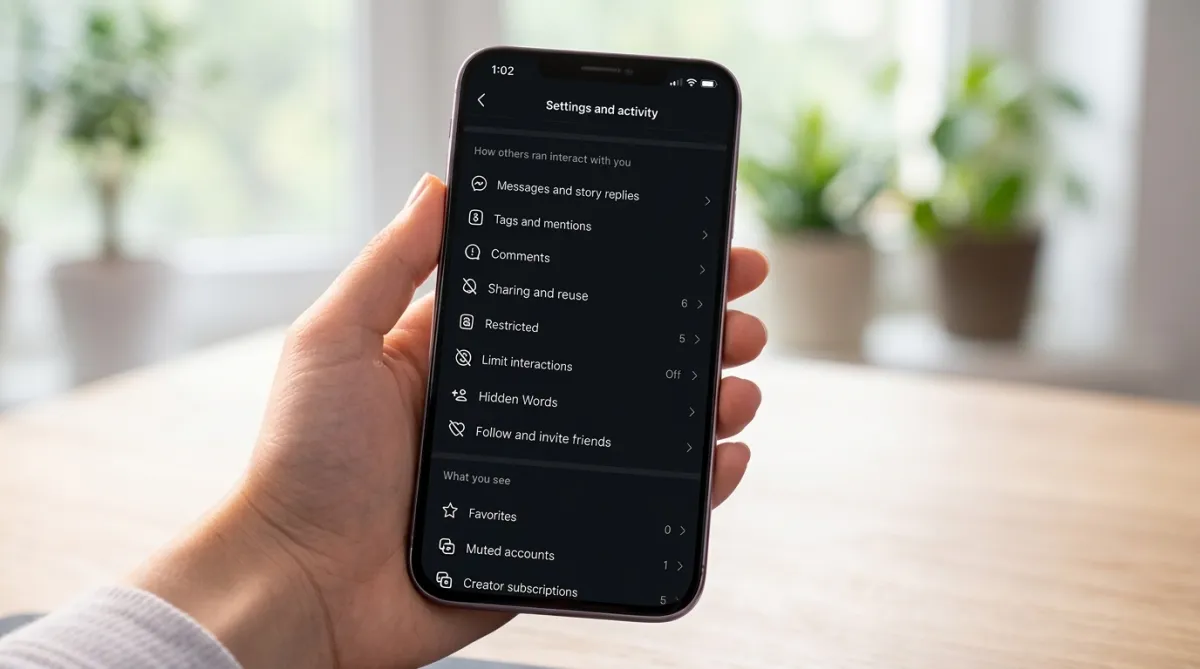
If you’ve ever received a random message or noticed unfamiliar people interacting with your posts, you’ve already experienced how open Instagram can be by default. Most users don’t actively review their privacy settings, which means the platform continues operating with maximum visibility and minimal restrictions.
The good news is that Instagram offers several built-in controls that let you decide who can see your content, contact you, and interact with your profile. Once you explore these options, the experience becomes much more comfortable and manageable.
Understanding Why Privacy Settings Matter
Instagram is designed to encourage interaction and discovery. While that works well for creators and businesses aiming to grow, it may not suit everyone’s preferences.
Out of the box, your account allows:
- Message requests from a wide audience
- Tags and mentions by almost anyone
- Visibility of your online activity
Individually, these may seem harmless. However, combined, they can lead to unwanted attention, spam, or unnecessary pressure to stay responsive.
Privacy on Instagram isn’t controlled by a single button. It’s a collection of small adjustments that, together, give you better control over your experience.
Practical Settings You Should Review
1. Make Your Account Private
Switching your profile from public to private is one of the most effective ways to limit access.
When your account is private:
- Only approved followers can see your posts and stories
- New followers require your permission
- Unknown users can’t freely browse your content
This change is especially useful if you prefer sharing content with a known audience rather than a broad, public one.
2. Manage Who Can Send You Messages
Unwanted DMs are one of the most common issues users face. By default, many people—including strangers—can send you message requests.
You can adjust this setting to:
- Limit message requests to people you follow
- Block requests from unknown users
- Reduce spam and irrelevant conversations
A small tweak here can significantly clean up your inbox.
3. Control Story Visibility
Stories are often shared casually, but they tend to reach a wide audience.
To make them more personal:
- Use the Close Friends feature for selective sharing
- Hide stories from specific followers
- Customize who can reply to your stories
This helps you post more freely without worrying about who might be watching.
4. Disable Activity Status
Instagram shows when you’re online or recently active, which can create an unspoken expectation to respond quickly.
Turning off this feature:
- Hides your online status
- Removes pressure to reply instantly
- Gives you more control over your time
It’s a simple change, but it improves the overall experience.
5. Use “Restrict” for Subtle Control
Not every situation requires blocking someone. Instagram’s Restrict feature is a more balanced option.
When you restrict someone:
- Their comments are only visible to them unless you approve
- Their messages move out of your main inbox
- They won’t know they’ve been restricted
This is useful for handling unwanted interactions without escalating the situation.
6. Filter and Manage Comments
An open comment section can quickly attract spam or irrelevant replies.
By enabling comment controls, you can:
- Filter offensive or low-quality comments
- Block comments from specific users
- Maintain a cleaner and more meaningful discussion space
It helps keep your posts focused and clutter-free.
7. Limit Tags and Mentions
Being tagged or mentioned can increase visibility, but it also exposes your profile to people outside your circle.
You can choose:
- Who is allowed to tag or mention you
- Whether tags require your approval
- How much control you want over your public exposure
This prevents unnecessary or unwanted tagging.
How These Changes Improve Your Experience
Individually, each setting might feel minor. But together, they can significantly transform how Instagram feels to use.
You may notice:
- Fewer irrelevant messages
- More meaningful interactions
- Better control over who sees your content
- Reduced distractions and noise
Instead of reacting to everything happening on your account, you start shaping the experience according to your preferences.
Final Thoughts
Many people feel overwhelmed by social media over time, not because of the platform itself, but because of how open it is by default.
You don’t need to stop using Instagram or change your habits completely. A few thoughtful adjustments to your privacy settings can make a noticeable difference.
Once you take control of these options, the platform becomes more personal, less intrusive, and easier to manage on your own terms.

I am a passionate Tech Writer with strong industry experience. I enjoy exploring the latest technological innovations and sharing clear, helpful insights with my audience.
Advertisements