Your smartphone keyboard is something you use every day. Whether you are chatting with friends, writing social media posts, sending emails, or searching online, typing is a regular part of using a phone.
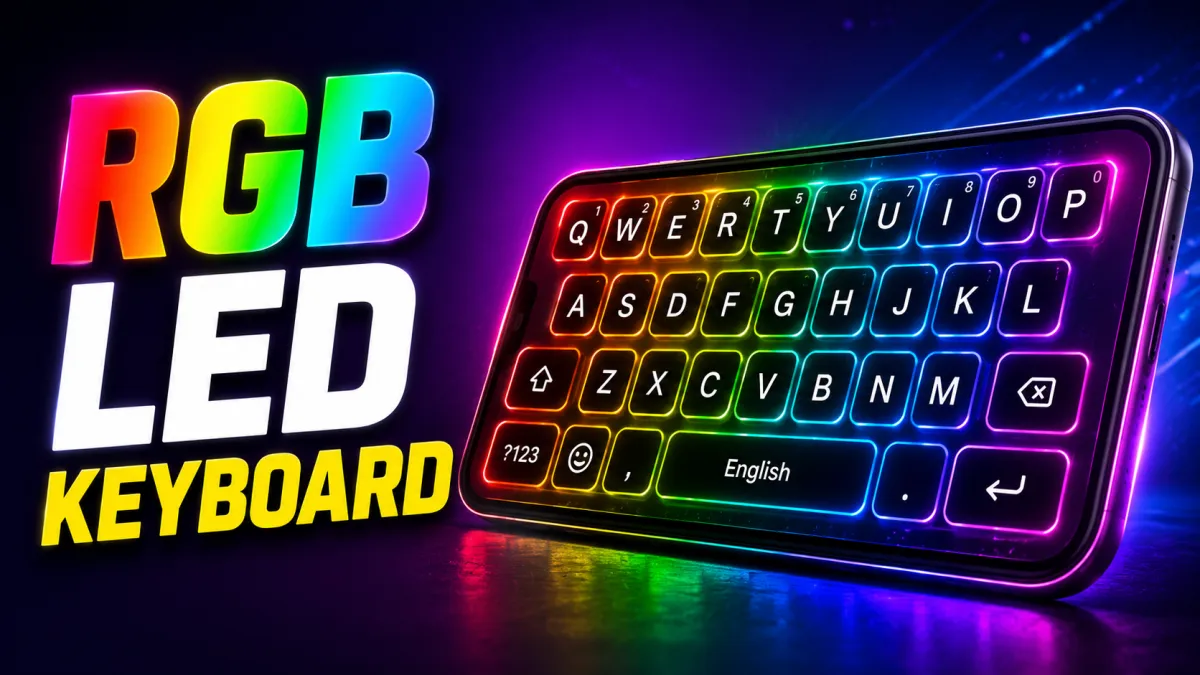
While most Android keyboards focus mainly on functionality, some users also enjoy changing the appearance of their keyboard. LED Keyboard – Colorful Lighting Edge RGB Keyboard is designed for users who want a more colorful and personalized typing experience.
With LED-inspired effects, colorful themes, and customization options, this type of keyboard can give your phone a fresh and visually interesting look.
Also read: Computer Launcher for Android: Turn Your Phone Into a Desktop-Style Workspace
What Is LED Keyboard – Colorful Lighting Edge RGB Keyboard?
LED Keyboard is an Android keyboard customization app designed to change the appearance of your typing interface.
Instead of using a standard keyboard design, it may offer colorful styles inspired by RGB lighting, neon effects, glowing edges, and animated backgrounds.
The main purpose is to make the keyboard feel more personal and visually appealing while still providing everyday typing features.
Why Do Users Choose RGB Keyboard Themes?
Many people customize their smartphones to match their personal style. They change wallpapers, icons, themes, and lock screens. A customized keyboard can be another way to make the phone interface look different.
RGB-inspired keyboard designs are especially popular because they can provide:
- Bright and colorful visual effects
- Modern neon-inspired styles
- Gaming-style designs
- Dark themes with glowing elements
- Personalized keyboard backgrounds
Users who find the default keyboard appearance boring may enjoy experimenting with these designs.
Key Features of LED Keyboard
1. Colorful RGB Lighting Effects
One of the main attractions of an LED-style keyboard is its colorful lighting design.
The keyboard can feature bright colors and glowing edge effects inspired by RGB lighting commonly seen in gaming accessories.
Depending on the available customization options, users may be able to select different colors and visual styles to match their phone’s overall appearance.
2. Multiple Keyboard Themes
Different users prefer different styles. Some like dark and minimal designs, while others enjoy bright neon colors.
LED keyboard apps may include a variety of themes, such as:
- Neon styles
- RGB lighting designs
- Dark keyboard themes
- Gradient backgrounds
- Galaxy-inspired themes
- Gaming-style designs
- Nature-inspired backgrounds
Having multiple options makes it easier to change the appearance of the keyboard whenever you want.
3. Custom Keyboard Backgrounds
Customization is one of the biggest reasons people use third-party keyboard apps.
Some keyboard apps allow you to use an image as the keyboard background. This can help you create a more personalized design.
For example, you may be able to choose:
- A favorite photo
- A colorful wallpaper
- A simple texture
- A custom background image
However, using a busy image may sometimes make the keys harder to read, so a clean background often provides the best balance between appearance and usability.
Smart Typing Features
A keyboard should not only look attractive. It should also make typing comfortable and convenient.
Depending on the version and features available in the app, users may find useful typing tools that help improve the overall experience.
4. Smooth Typing Experience
A good keyboard should respond quickly when you type.
Lightweight designs and optimized performance can help provide smoother typing, especially when sending long messages or writing emails.
Actual performance may vary depending on your Android device and the keyboard settings you choose.
5. Word Suggestions and Auto-Correction
Many modern keyboard apps include features such as word suggestions and auto-correction.
These tools can help users type faster by suggesting possible words while typing.
Auto-correction can also help fix common spelling mistakes.
If available, these features can be particularly useful when writing:
- Messages
- Emails
- Social media posts
- Notes
- Longer documents
You should always review important messages before sending them because automatic suggestions may occasionally choose the wrong word.
6. Support for Multiple Languages
Multilingual typing is important for many Android users.
A keyboard with support for different languages can make switching between languages easier.
Depending on the keyboard, available languages may include options such as:
- English
- Hindi
- Bengali
- Other supported languages
The exact language selection may vary, so it is a good idea to check the app’s settings before installing it.
Emoji and Expressive Typing
Modern conversations often include more than plain text.
Emojis, GIFs, and stickers help users express emotions and reactions more easily.
Depending on the keyboard’s available features, you may have access to:
- A large emoji collection
- Frequently used emojis
- GIF options
- Stickers
- Emoji combinations
These features can make conversations more expressive on supported messaging and social media platforms.
How to Set Up an LED Keyboard on Android
The setup process is generally straightforward.
Step 1: Install the Keyboard App
Download the keyboard from a trusted source, such as the Google Play Store.
Before installing, check:
- User reviews
- App permissions
- Update history
- Developer information
This can help you make a more informed decision.
Step 2: Open the App
After installation, open the keyboard app.
It may guide you through the setup process.
Step 3: Enable the Keyboard
Android will usually require you to enable the keyboard through your device settings.
Follow the instructions shown by the app.
Step 4: Select It as Your Active Keyboard
After enabling the keyboard, choose it as the current input method.
You can usually switch keyboards later through Android’s keyboard settings.
Step 5: Choose a Theme
Browse the available themes and select the style you prefer.
You may be able to adjust options such as:
- Colors
- Backgrounds
- Key appearance
- Lighting effects
- Visual animations
The available options depend on the specific version of the app.
Does an RGB Keyboard Affect Battery Life?
Colorful themes and animations may use additional system resources compared with a completely static keyboard.
However, the actual effect on battery life can vary depending on:
- Your phone model
- The brightness of visual effects
- Animation settings
- How often you use the keyboard
If the app allows you to control animation speed or effects, reducing unnecessary animations may help minimize resource usage.
For a simpler setup, you can choose a static dark theme.
Privacy and Keyboard Permissions
Privacy is an important consideration when using any third-party keyboard.
A keyboard can potentially access the text you type, so you should be careful when choosing which app to install.
Before using a third-party keyboard:
- Download it from a trusted source.
- Review the permissions requested.
- Read the privacy policy.
- Check the developer’s reputation.
- Keep the app updated.
Avoid entering highly sensitive information into an unfamiliar keyboard app unless you trust the developer and understand how your data is handled.
Who Might Enjoy an LED Keyboard?
An RGB-style keyboard may be a good choice for:
- Users who enjoy customizing their phones
- Fans of neon and colorful designs
- People who like gaming-inspired themes
- Content creators who enjoy unique phone interfaces
- Users bored with the default keyboard appearance
- Anyone who wants a more personalized typing setup
Tips for Choosing the Best Keyboard Theme
Here are a few simple tips for creating a better-looking keyboard.
Choose Readable Colors
Bright effects may look attractive, but the letters on the keys should always remain easy to see.
Avoid themes with poor contrast.
Match Your Phone Theme
Try choosing keyboard colors that match your wallpaper or icon style.
For example, a dark wallpaper may look good with a blue, purple, or neon keyboard theme.
Avoid Too Many Animations
Heavy animations can sometimes be distracting.
If you type frequently, a simpler design may feel more comfortable.
Review Permissions Carefully
Always pay attention to the permissions requested by keyboard apps.
Only install apps from developers and sources you trust.
Why RGB Keyboard Designs Are Popular
RGB-inspired technology has become popular in many areas, including gaming keyboards, computer accessories, smartphones, and mobile apps.
People enjoy these designs because they can make ordinary interfaces feel more colorful and personal.
An LED keyboard brings this visual style to one of the most frequently used parts of your smartphone.
With the right theme, even a simple typing screen can feel different and more customized.
Also read: LED Keyboard – Colorful RGB Lighting Keyboard for a Stylish Typing Experience
Official Play Store Link
Final Thoughts
LED Keyboard – Colorful Lighting Edge RGB Keyboard is designed for Android users who want to add more color and personality to their typing experience.
With RGB-inspired themes, colorful backgrounds, and keyboard customization options, it can provide an alternative to the standard keyboard design.
Before installing any third-party keyboard, remember to check its permissions, privacy information, and developer details. Once you find a keyboard app you trust, you can experiment with different themes and settings to create a style that suits your phone.
If you enjoy neon colors, gaming-inspired designs, and smartphone customization, an LED-style keyboard can be a fun way to give your Android device a fresh new look.

I am a passionate Tech Writer with strong industry experience. I enjoy exploring the latest technological innovations and sharing clear, helpful insights with my audience.