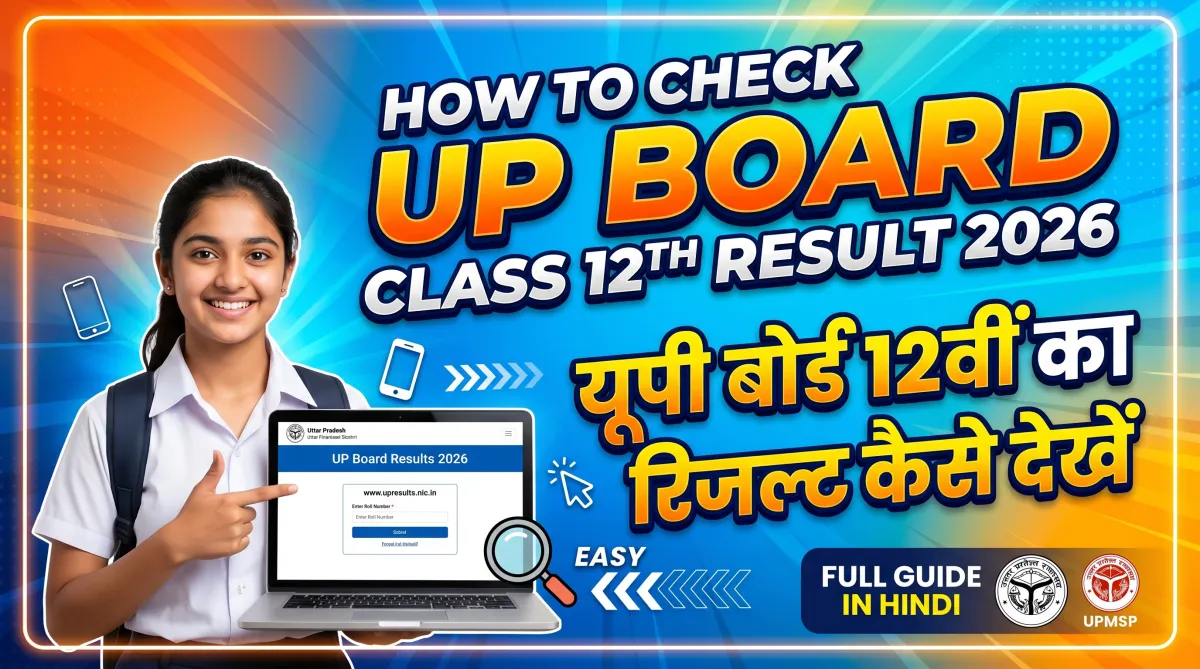
Waiting for your board exam result can feel intense. If you’re a student of the Uttar Pradesh Madhyamik Shiksha Parishad (UPMSP), you’re probably eager to know how to check your Class 12 result quickly and correctly.
This guide will walk you through every possible way to check your UP Board Class 12 Result 2026, along with tips, common issues, and what to do after the result is declared.
Introduction
Every year, lakhs of students appear for the UP Board Class 12 exams conducted by UPMSP. The result is usually announced online, and knowing the correct method helps you avoid confusion, errors, or unnecessary stress.
In this article, you’ll learn:
- Official websites to check results
- Step-by-step process
- Alternative methods (SMS, DigiLocker)
- Common problems and solutions
- What to do after result declaration
Let’s get started.
When Will UP Board Class 12 Result 2026 Be Declared?
While the exact date for 2026 hasn’t been officially confirmed yet, based on previous trends, the result is usually released in:
April (last week) or early May
Students are advised to regularly check official updates from the UP Board.
Official Websites to Check UP Board Result 2026
You should only use trusted and official websites to avoid fake links or incorrect data.
Here are the official platforms:
- Uttar Pradesh Madhyamik Shiksha Parishad official website
- UP Board Result Portal
Step-by-Step Process to Check UP Board Class 12 Result 2026
Follow these simple steps to check your result online:
Step 1: Visit Official Website
Go to the official result website of UP Board.
Step 2: Click on Result Link
Look for the link:
“UP Board Class 12th Result 2026”
Step 3: Enter Your Details
You will need:
- Roll Number
- School Code (if required)
Step 4: Submit Information
Click on the Submit button.
Step 5: View Your Result
Your result will appear on the screen.
Step 6: Download & Print
- Save a PDF copy
- Take a printout for future use
How to Check UP Board Result via SMS
If the website is slow or not working, you can use SMS.
Format:
Type:UP12 <space> ROLL NUMBER
Send it to the official number (announced during result time).
You’ll receive your result as a text message on your phone.
Check Result via DigiLocker
Another reliable method is through DigiLocker.
Steps:
- Download or open DigiLocker
- Sign in using Aadhaar/mobile number
- Search for UP Board documents
- Access your digital marksheet
This marksheet is legally valid and can be used for admissions.
Common Issues While Checking Result (And Solutions)
Sometimes students face problems while checking their results. Here’s how to fix them:
Website Not Opening
Reason: Heavy traffic
Solution:
- Try after some time
- Use different browsers
- Check late at night or early morning
Incorrect Roll Number
Solution:
- Double-check your admit card
- Avoid typing mistakes
Result Not Showing
Solution:
- Refresh the page
- Wait for official activation
- Try another website
Details Mentioned in UP Board Result
Your result will include:
- Student Name
- Roll Number
- Subject-wise Marks
- Total Marks
- Division (First/Second/Third)
- Result Status (Pass/Fail)
Always verify all details carefully.
What to Do After Checking Result?
Once you’ve checked your result, here’s what you should do next:
1. Collect Original Marksheet
Visit your school to get the official marksheet.
2. Apply for Rechecking (If Needed)
If you think your marks are incorrect:
- Apply for re-evaluation or scrutiny
3. Plan Your Next Step
Depending on your result:
- Apply for college admissions
- Prepare for entrance exams
- Explore career options
4. Keep Documents Safe
- Save digital copies
- Keep printed copies secure
Important Tips for Students
- Don’t panic if the website crashes
- Keep your roll number ready
- Avoid unofficial websites
- Check results only from trusted sources
- Stay calm and positive
Pro Tip (Very Useful)
Take a screenshot of your result immediately after checking. Sometimes links stop working later due to high traffic.
| UP Board 10th Result 2026 Link-1 | Click Here |
| UP Board 10th Result 2026 Link-2 | Click Here |
| Download UP Board 12th Result 2026 | Click Here |
Conclusion
Checking your UP Board Class 12 Result 2026 is simple if you follow the right steps. Use official websites, keep your details ready, and stay patient during high traffic times.
Remember, your result is important—but it’s just one step in your journey. No matter the outcome, you always have multiple opportunities ahead.
Stay focused, plan wisely, and move forward with confidence.
Meta Description (150–160 characters)
Learn how to check UP Board Class 12 Result 2026 online, via SMS & DigiLocker. Step-by-step guide, official links, and tips included.
FAQs (Frequently Asked Questions)
1. When will UP Board Class 12 Result 2026 be declared?
It is expected in April or early May 2026, based on previous trends.
2. Where can I check my UP Board result?
You can check it on the official website of the Uttar Pradesh Madhyamik Shiksha Parishad.
3. What details are required to check the result?
You need your roll number and sometimes your school code.
4. Can I check my result without internet?
Yes, you can use the SMS service to get your result on your phone.
5. Is DigiLocker marksheet valid?
Yes, the marksheet from DigiLocker is officially valid.
6. What if I fail in one subject?
You can apply for compartment exams conducted by UP Board.
7. Can I apply for rechecking?
Yes, UP Board allows re-evaluation if you are not satisfied with your marks.
If you want, I can also create a YouTube script, thumbnail text, or blog SEO keywords for this topic.

I am a passionate Tech Writer with strong industry experience. I enjoy exploring the latest technological innovations and sharing clear, helpful insights with my audience.
Advertisements