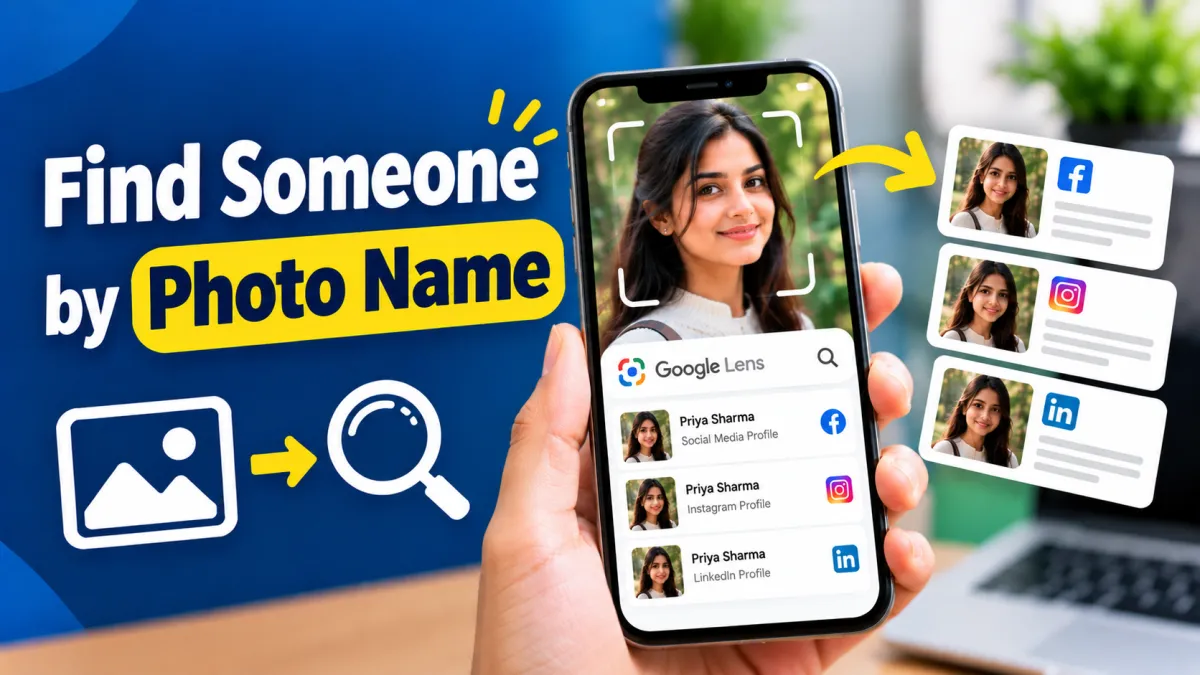
Have you ever come across a photo of someone and wondered who they are? Maybe you found an old picture, saw a person in a social media post, or received an image without any useful information about the person.
In such situations, you may be able to discover the name or publicly available information associated with a photo by using reverse image search tools.
The good news is that you don’t necessarily need special software. Tools such as Google Lens and other reverse image search services can help you find webpages, social media posts, similar images, or information connected to a publicly available photograph.
However, there is an important limitation: a photo search cannot guarantee that you will find the person’s real name. Results depend on whether the same image, or a related image, has been published online.
Let’s look at some simple methods you can try.
Also read: How to Take a Loan Using an Aadhaar Card: Complete Guide for Beginners
What Does “Find Someone by Photo” Mean?
Finding someone by photo generally means using an image as a search input instead of typing a person’s name.
For example, if you have a picture of a person but don’t know their name, you can upload the image to a reverse image search service.
The service may find:
- The same image on websites
- Similar-looking images
- Public social media posts
- News articles
- Websites where the image appears
- Related information about the image
If the photograph has already been published publicly with the person’s name, you may be able to connect the image with that information.
Method 1: Use Google Lens
Google Lens is one of the easiest options for searching information from a photograph.
You can use it from supported Google apps or devices.
How to Use Google Lens
- Open Google Lens.
- Select the photo you want to search.
- Upload or select the image from your device.
- Let Lens analyze the picture.
- Review the results.
Depending on the image, Lens may show visually similar pictures, websites, objects, text, or other relevant information.
If the photograph is publicly available online, you may find the webpage where it originally appeared.
Try Cropping the Image
Sometimes the entire picture produces poor results.
If the photo contains several people or a lot of background, crop it around the person or the relevant part of the image and search again.
You can also try different crops to get more useful results.
Method 2: Try Reverse Image Search
Another option is a reverse image search engine.
The basic process is usually straightforward:
- Open the reverse image search website.
- Choose the image-upload option.
- Upload your photograph.
- Check the matching or visually similar results.
- Open relevant webpages to see whether the image has additional context.
Reverse image search is particularly useful when you’re trying to find the original source of a photograph rather than simply searching for a person’s name.
Method 3: Search Social Media
If you believe the photograph came from a public social media account, you can also search the platform using information connected to the image.
For example, look for:
- Username or account name visible in the screenshot
- Caption
- Hashtags
- Location
- Event name
- Organization name
- Other people tagged in the post
If the image contains text, you can first read or copy that text and search for it separately.
This can sometimes lead you to the original public post.
Method 4: Use Text Visible in the Photo
You don’t always have to search the person’s face.
A photograph may contain useful information in the background, such as:
- A company name
- Event banner
- School or college name
- Shop name
- Username
- Website address
- Location
- Poster or sign
Search for that information online and see whether it leads to the original photograph or a public profile.
This approach can be more reliable than trying to identify an unfamiliar person solely from their appearance.
Method 5: Search the Original Image Source
If you received the picture through social media or messaging, check whether the original post or account information is available.
For example, a screenshot might contain:
- Profile name
- Username
- Date
- Caption
- Watermark
- Website address
Even a small piece of information can help you locate the original public source.
Why Can’t Every Photo Be Identified?
A reverse image search doesn’t have access to a universal database containing every person’s identity.
You may get no useful result when:
- The image has never been published publicly
- The original post was deleted
- The account is private
- The photo has been heavily edited
- The image quality is poor
- The person is not publicly known
- Search engines don’t have the relevant page indexed
Therefore, don’t assume that a failed search means the person has no online presence.
Can You Find a Person’s Name From Their Face?
Sometimes a search may lead to publicly available information associated with a photograph, but you should not assume that a visual match proves someone’s identity.
Similar-looking people can produce misleading results, and online images can be mislabeled.
For this reason, don’t use an image-search result alone to make important decisions about someone’s identity.
Important Privacy and Safety Considerations
Finding publicly available information about an image is different from trying to uncover someone’s private information.
Avoid using photo-search techniques to:
- Harass or intimidate someone
- Track someone’s private location
- Expose private personal information
- Create fake accounts
- Impersonate another person
- Bypass someone’s privacy settings
If the person has chosen to keep their social media account private, respect that decision.
Also be careful about uploading sensitive photographs to unfamiliar websites. Before using any third-party service, check what it does with uploaded images and what privacy options it provides.
Tips for Getting Better Search Results
If your first search doesn’t work, try these simple techniques:
Use a Higher-Quality Photo
A clear image generally provides more useful visual information than a blurry or heavily compressed picture.
Crop Unnecessary Background
Focus on the relevant part of the image, particularly if the background contains lots of unrelated objects.
Try More Than One Search Method
One tool may not find a result that another service can locate.
Search Any Visible Text
Names, usernames, signs, logos, and event details can sometimes be more useful than the photograph itself.
Check the Source Carefully
If you find a supposed match, open the original webpage and compare the context instead of relying only on a thumbnail.
Final Words
If you want to find someone by photo name, reverse image search is a useful place to start. Google Lens and other image-search tools can help locate the same photograph, similar images, or public webpages where the picture has appeared.
However, there is no guaranteed method for discovering someone’s name from every photograph. The best results usually come when the image has already been published publicly and contains additional clues such as a username, caption, event, organization, or location.
Most importantly, use these tools responsibly. Respect people’s privacy, avoid trying to uncover private information, and don’t treat an online visual match as definite proof of someone’s identity.
Alternate official play store app link (Optional)
Download Official Play Store App
Frequently Asked Questions
1. Can I find someone’s name using a photo?
Sometimes. If the photograph has been publicly posted online along with the person’s name or other information, reverse image search may help you find it.
2. What is the easiest way to search someone by photo?
Google Lens is one of the simplest options. Upload the image and review the websites and visually similar results it provides.
3. Can Google Lens identify a person?
Google Lens can provide information related to an image, but it should not be treated as a guaranteed identity-verification tool. Results depend on the available online information.
4. Why can’t I find someone using their photo?
The image may not be publicly indexed, may have been deleted, may belong to a private account, or may simply not have enough information associated with it online.
5. Can I find someone’s social media account from a photo?
A reverse image search may sometimes lead to a public social media post or profile where the same image appears. However, it is not guaranteed.
6. Is it safe to upload photos to reverse image search websites?
Use reputable services and think carefully before uploading sensitive or private photographs. Check the service’s privacy practices before submitting an image.
7. Can I find a person’s exact location from their photo?
A photograph may contain public clues about a location, but attempting to determine or expose someone’s private location can create serious privacy and safety concerns. Use location information responsibly.

I am a passionate Tech Writer with strong industry experience. I enjoy exploring the latest technological innovations and sharing clear, helpful insights with my audience.