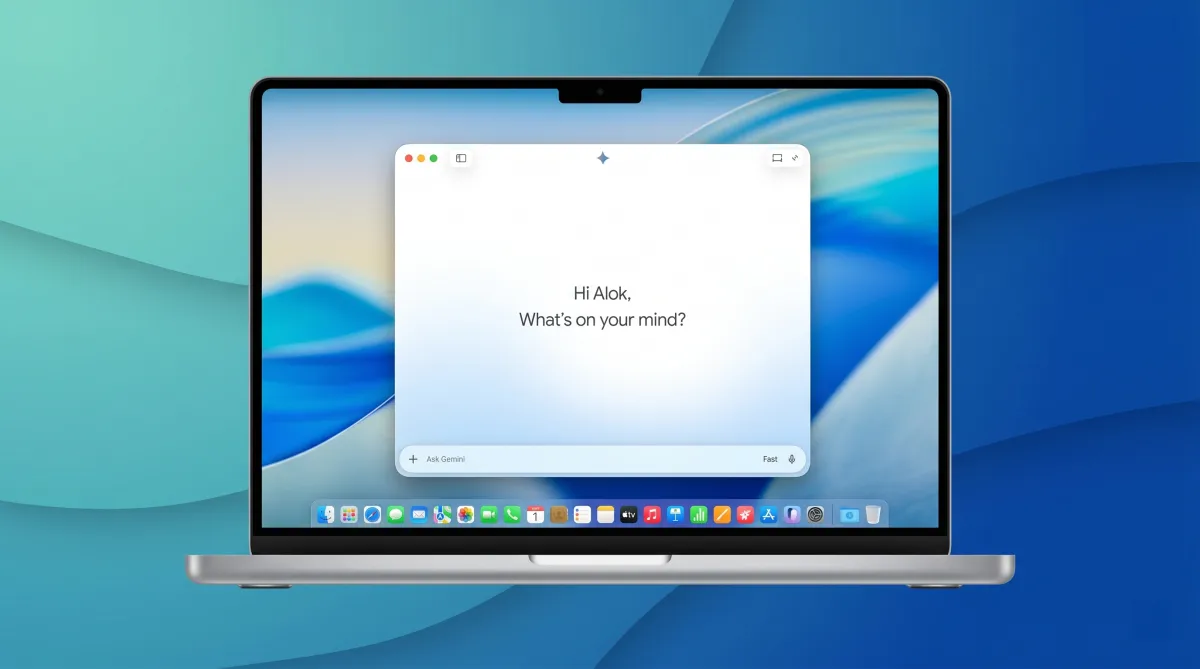
Google has introduced a dedicated desktop version of its Gemini AI assistant for Mac users. Instead of relying on a browser, you can now access Gemini directly from your system, making everyday interactions quicker and more seamless.
Once installed, the app sits in the dock like any other Mac application and launches instantly. This small change removes the need to open a browser tab every time you want to use AI, saving time during routine tasks.
Quick Access Without Leaving Your Workflow
One of the most useful additions is a universal keyboard shortcut. By pressing Option + Space, a compact input box appears over whatever app you’re currently using. This means you can ask questions, generate text, or get summaries without interrupting your workflow or switching windows.
The design keeps everything connected to what you’re doing at that moment. Whether you’re writing, researching, or working on documents, Gemini stays accessible in the background as a lightweight tool.
Understands What’s on Your Screen
The app goes a step further by allowing you to share your screen or specific files. This enables Gemini to provide context-aware assistance.
For example, you can:
- Ask it to summarise a document
- Extract key points from a chart
- Review details from files you’re working on
This makes it more than just a chatbot—it becomes a practical assistant that understands your current task.
Voice input is also available, making it easier to interact hands-free when needed.
Designed to Fit Naturally Into macOS
Google has ensured the app blends well with the macOS environment. It supports system features like dark mode and follows familiar interface patterns, so it doesn’t feel out of place.
The floating interface works across different apps, allowing Gemini to behave more like a built-in utility rather than a separate tool.
Same Capabilities, Now More Accessible
The desktop version includes the same core features users expect from Gemini. It can:
- Generate written content
- Help with coding tasks
- Answer questions and solve problems
- Create images
All outputs appear within the app itself, reducing the need to jump between multiple tools or platforms.
How to Install and Availability
Unlike many Mac apps, Gemini is not distributed through the App Store. Instead, users can download it directly from Google’s official website, move it to the Applications folder, and sign in to begin using it.
The app is being rolled out globally and is available for devices running macOS 15 or later. It is currently offered as a free download.
Also read: Top MacBook Neo Accessories to Upgrade Your Daily Experience
Focused on Speed and Convenience
This release is less about introducing new features and more about improving accessibility. By removing the browser step, Google has made it faster to perform everyday tasks like quick searches, drafting content, or summarising information.
For users who frequently switch between apps, this streamlined access can make a noticeable difference in productivity.
Overall, the macOS Gemini app is designed to fit naturally into your daily workflow, offering the same powerful features in a more immediate and convenient form.

I am a passionate Tech Writer with strong industry experience. I enjoy exploring the latest technological innovations and sharing clear, helpful insights with my audience.