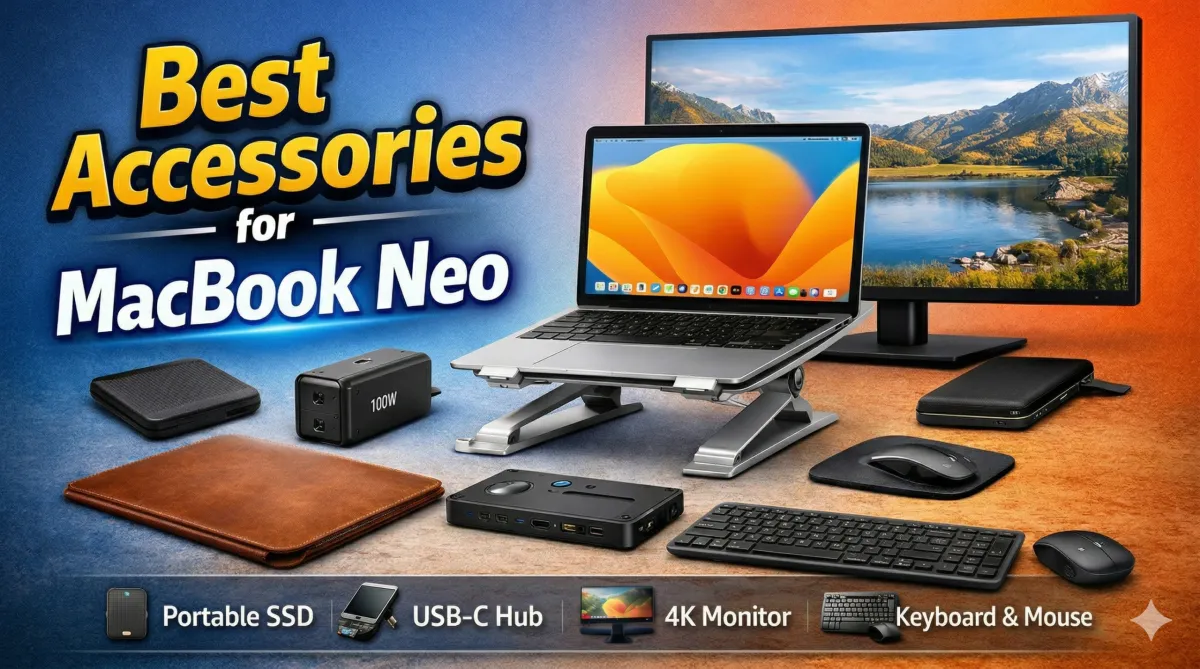
The MacBook Neo brings Apple’s signature design and performance to a more accessible price segment. It is lightweight, efficient, and well-suited for students, working professionals, and everyday users who need a dependable machine for regular tasks.
However, like most slim laptops, it comes with certain limitations—fewer ports, limited storage options, and a compact form factor. While these design choices improve portability, they can sometimes restrict functionality.
This is where the right accessories make a real difference. With a few smart additions, you can improve usability, enhance comfort, and protect your device for long-term use. In this article, we’ll explore practical accessories that can help you get more out of your MacBook Neo without overspending.
Things to Consider Before Buying Accessories
Before adding anything to your setup, it’s important to understand your usage pattern. Not every accessory is necessary for everyone, and choosing wisely can save both money and effort.
1. Connectivity Needs
The MacBook Neo offers limited ports, which may not be sufficient if you frequently connect external devices. If your workflow includes USB drives, memory cards, or external displays, a USB-C hub becomes highly useful.
2. Travel and Portability
If you carry your laptop daily, lightweight and compact accessories should be your priority. Bulky add-ons can reduce the convenience of a portable device.
3. Comfort During Long Usage
Spending long hours on a laptop can lead to discomfort. Accessories that improve posture and hand positioning can make a noticeable difference over time.
4. Storage Requirements
For users handling media files, design projects, or large documents, internal storage can fill up quickly. External storage solutions are often more flexible and cost-effective.
5. Future Expansion
Some tools may not seem necessary initially but become valuable as your work grows. For example, an external monitor can significantly improve multitasking efficiency.
The idea is simple—focus on what improves your daily workflow instead of buying everything available.
Essential Accessories for MacBook Neo Users
Here are some practical and reliable accessories that can enhance your MacBook Neo experience.
1. Protective Laptop Sleeve
If you frequently carry your laptop, protection should be your first priority. A well-designed laptop sleeve helps prevent scratches, dents, and minor impact damage.
A good sleeve typically includes padded interiors and reinforced edges that absorb shocks. Many options also come with water-resistant materials, which add an extra layer of safety during travel.
Some sleeves also include additional compartments for storing chargers, cables, and small accessories. This makes it easier to keep everything organized without carrying multiple bags.
2. Slim Leather Sleeve for Minimalists
For users who prefer a clean and professional look, a slim leather sleeve is a great alternative.
These sleeves are lightweight and easy to carry, making them ideal for slipping into a backpack or carrying by hand. The material not only enhances appearance but also offers basic protection against dust, light moisture, and scratches.
Because of their slim design, they do not add unnecessary bulk—perfect for people who value portability.
3. Laptop Skin for Scratch Protection
If you want to maintain the original look of your MacBook while adding a touch of personalization, a laptop skin is worth considering.
Skins are thin, adhesive layers that protect the surface from scratches, fingerprints, and everyday wear. They are easy to apply and can be removed without damaging the device.
Another advantage is customization. You can choose from a variety of textures and finishes to match your style without affecting the laptop’s sleek design.
4. Fast USB-C Charger
The standard charger that comes with the MacBook Neo works fine for regular use. However, upgrading to a higher-capacity charger can improve charging speed and convenience.
Modern chargers using GaN (Gallium Nitride) technology are more compact and efficient. They deliver higher power output while generating less heat, making them ideal for travel.
Many advanced chargers also include multiple ports, allowing you to charge your laptop, smartphone, and other devices simultaneously. This reduces the need to carry multiple adapters.
5. Adjustable Laptop Stand
Working directly on a laptop for long hours can lead to poor posture. A laptop stand helps raise the screen to eye level, reducing strain on your neck and shoulders.
Foldable stands are especially useful because they are easy to carry and store. They also improve airflow under the laptop, which helps in maintaining optimal temperature during heavy usage.
For anyone who spends extended time working on their MacBook Neo, this is a simple but effective upgrade.
6. External SSD for Extra Storage
Storage can become a limitation, especially if you deal with large files such as videos, photos, or software projects.
An external SSD is a fast and reliable way to expand your storage without modifying the internal hardware. Compared to traditional hard drives, SSDs offer significantly faster data transfer speeds and better durability.
They are compact, easy to carry, and suitable for users who need to access files across multiple devices.
7. USB-C Hub for Expanded Connectivity
Since the MacBook Neo has limited ports, a USB-C hub is one of the most practical accessories you can invest in.
A typical hub adds multiple connectivity options such as USB-A ports, HDMI output, and additional USB-C inputs. This allows you to connect monitors, external drives, keyboards, and other peripherals simultaneously.
For users who regularly switch between devices, a hub simplifies the workflow and reduces the hassle of constant plugging and unplugging.
8. External Monitor for Better Productivity
An external display can significantly improve how you work. A larger screen allows you to manage multiple applications at once, making multitasking more efficient.
Whether you are working on spreadsheets, editing content, or coding, having extra screen space helps reduce clutter and improves focus.
Modern monitors also include features like eye comfort modes and high-resolution displays, which enhance both productivity and viewing experience.
9. Wireless Keyboard and Mouse Combo
While the MacBook Neo’s built-in keyboard and trackpad are well-designed, using external input devices can improve comfort during extended sessions.
A wireless keyboard and mouse allow you to maintain a natural posture, especially when using a laptop stand. Full-sized keyboards also make typing faster and more comfortable.
Additionally, wireless devices help keep your desk setup clean and organized without extra cables.
Why These Accessories Make a Difference
Accessories are often seen as optional, but they can greatly enhance how you use your laptop.
- Protection: Sleeves and skins help prevent physical damage and extend the lifespan of your device.
- Comfort: Stands and external peripherals reduce strain and improve posture.
- Productivity: Monitors and input devices make multitasking easier and more efficient.
- Functionality: USB hubs and external storage overcome hardware limitations.
In many cases, a few well-chosen accessories can transform your MacBook Neo into a more capable and comfortable workstation.
Final Words
The MacBook Neo is a well-balanced laptop designed for modern users who value performance and portability. While it performs well on its own, the right accessories can significantly enhance your overall experience.
Simple additions like a protective sleeve, a USB-C hub, or an external SSD can make everyday tasks more convenient. Meanwhile, ergonomic tools such as a laptop stand and wireless keyboard can improve comfort during long working hours.
Instead of buying everything at once, focus on accessories that align with your needs. A thoughtful setup will make your MacBook Neo more efficient, practical, and enjoyable to use in the long run.

I am a passionate Tech Writer with strong industry experience. I enjoy exploring the latest technological innovations and sharing clear, helpful insights with my audience.